Cards, not rows
The sheet you already keep, as cards
Any Google Sheet or Excel workbook becomes a set of clean, readable cards - the same columns, stacked to fit your phone. No pinching, no scrolling sideways to find a column.
| A | B | C | D | E | F | G | |
| 1 | Task | Description | Type | Priority | Due Date | Done | Notes |
| 2 | Schedule dentist | Annual cleaning overdue | house | 3 | 2025-12-31 | Last visit was over a… | |
| 3 | Fix leaky faucet | Kitchen sink dripping | house | 1 | 2026-01-01 | TRUE | Called plumber after… |
| 4 | Prepare Q2 report | Compile sales and exp… | work | 1 | 2026-01-01 | Draft due end of Mar… | |
| 5 | Book vacation flights | Find tickets to Barcelona | vacation | 2 | 2026-01-01 | TRUE | Compare prices on a… |
| 6 | Call Mom | Weekly check-in call | family | 2 | 2026-01-02 | TRUE | |
| 7 | Finish code review | Review PRs for the auth… | work | 1 | 2026-01-02 | 3 PRs pending and e… | |
| 8 | Plan birthday party | Dad's 70th birthday | family | 1 | 2026-01-02 | Need to book venue… | |
| 9 | Pick up dry cleaning | Get outfits ready for… | family | 3 | 2026-01-03 | TRUE | |
| 10 | Research hotels | Find accommodation… | vacation | 2 | 2026-01-03 | ||
| 11 | Submit expense report | March travel reimburs… | work | 2 | 2026-01-03 | ||
| 12 | Buy school supplies | Back-to-school list… | family | 2 | 2026-01-03 |
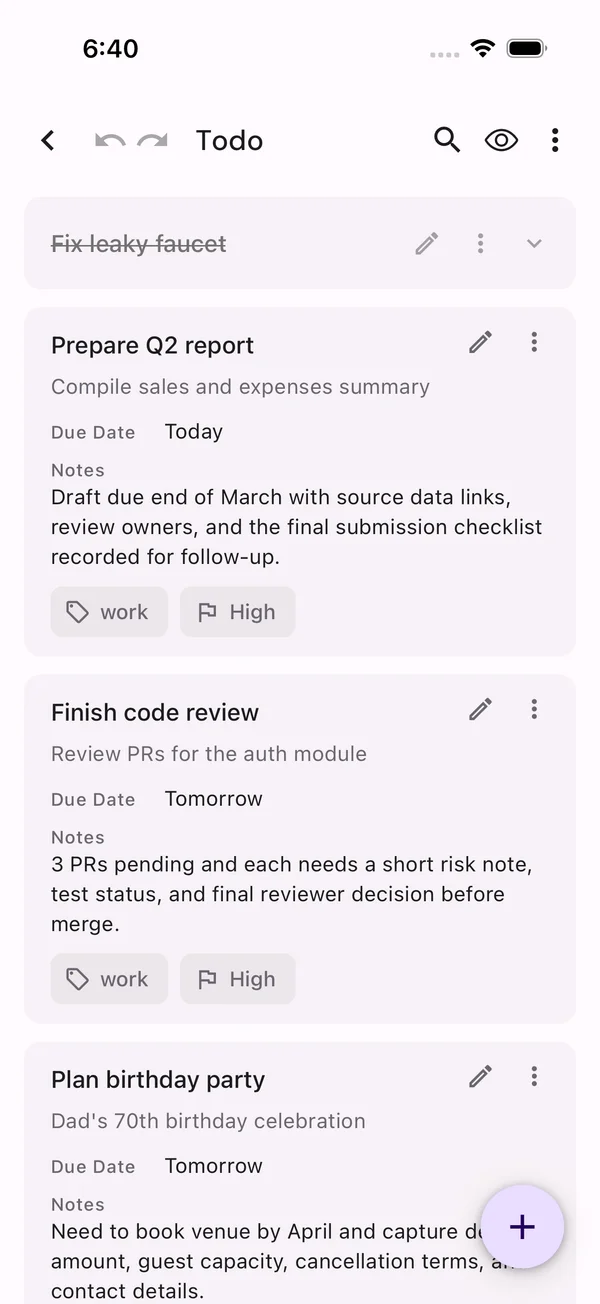
Stay on top of every task
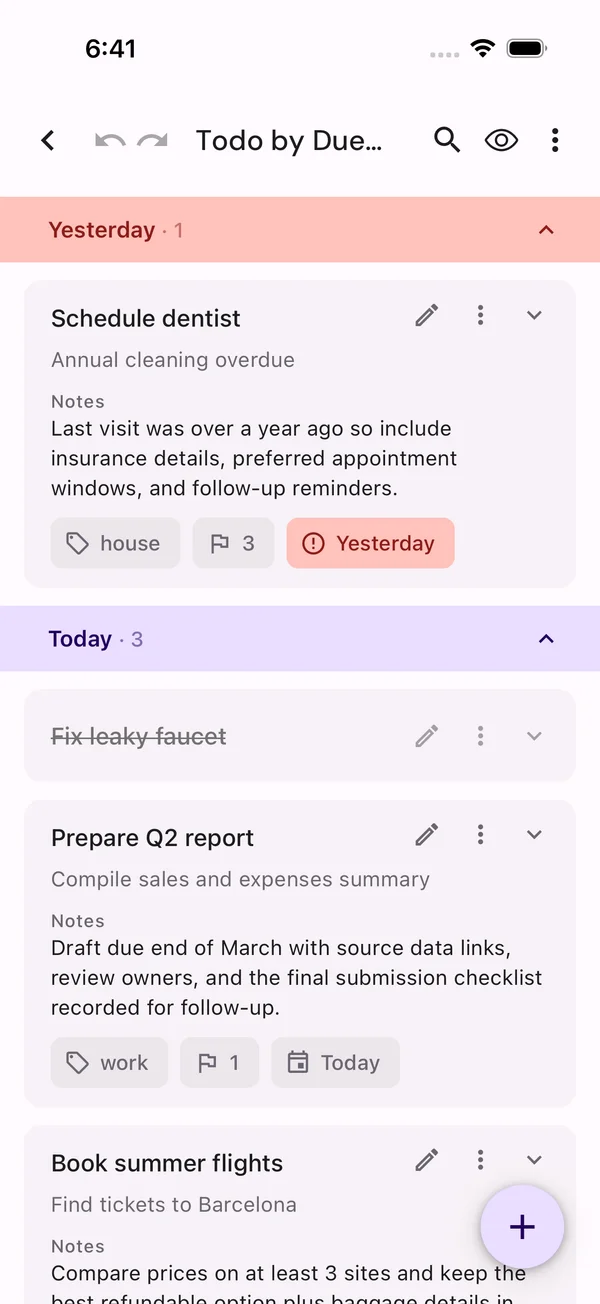
A todo list, by what's due
Tasks fall into due-date groups, overdue work stands out at a glance, and every item can be snoozed until tomorrow, the weekend, or next week.
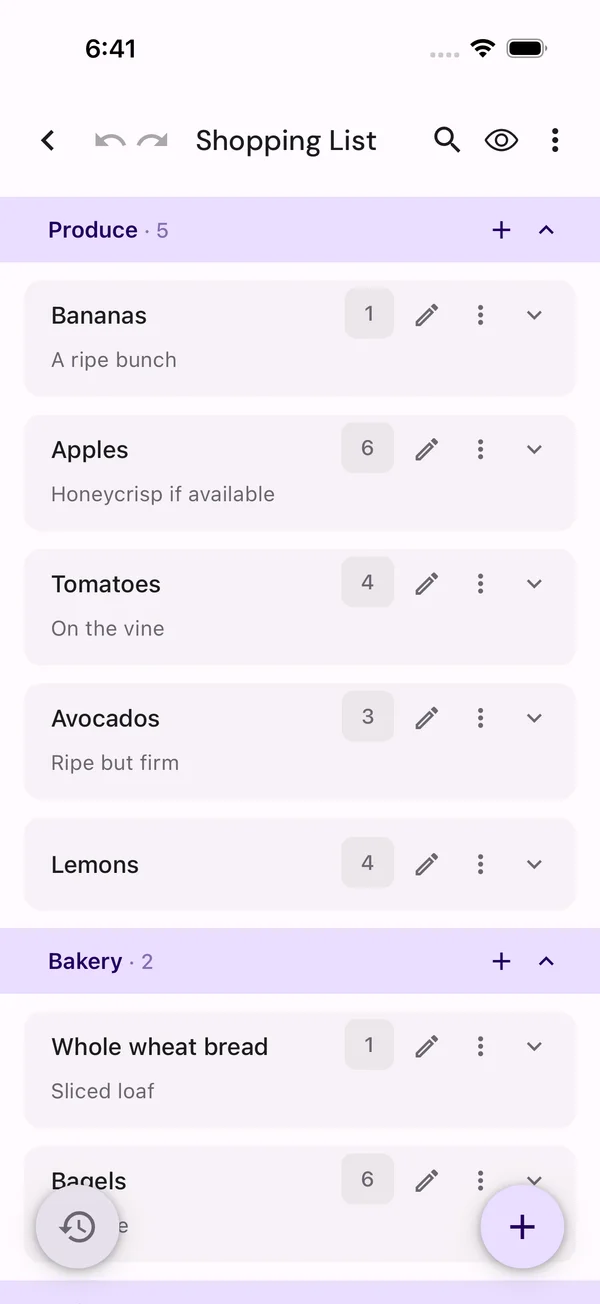
One shared list for the whole family
A shopping list, by aisle
A shared family list lets everyone add what they need and see what's already been bought - one list that stays useful from the first item to the last.
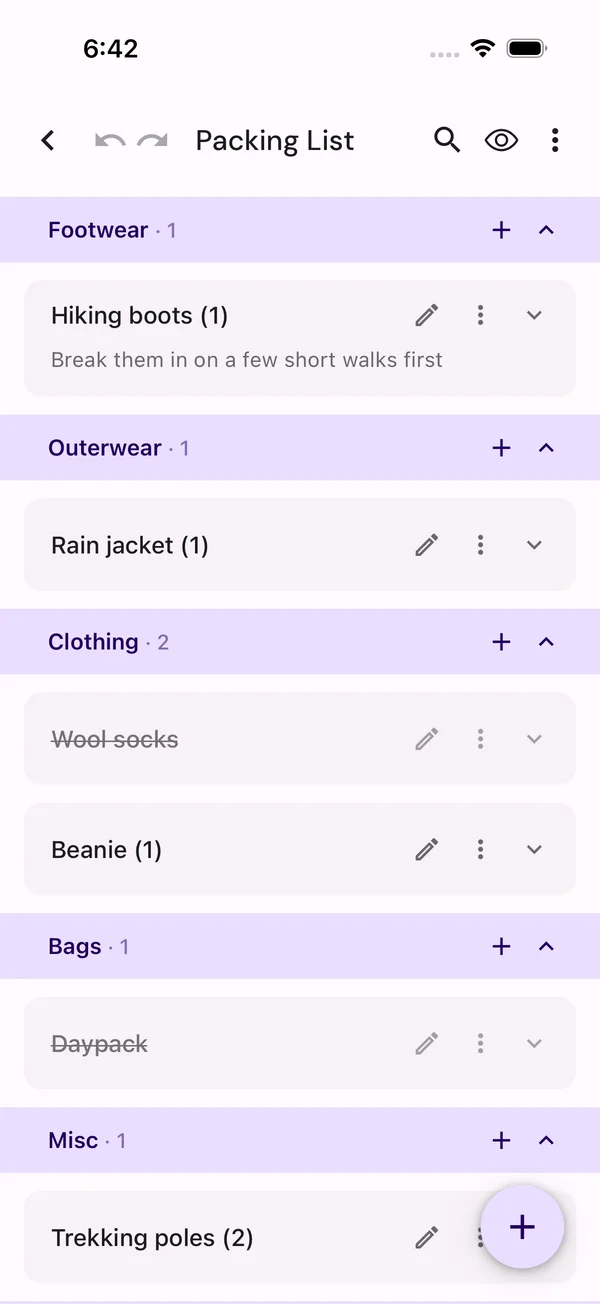
Pack everything. Forget nothing.
A packing list, by category
Clothing, toiletries, documents and electronics stay organized by category. Packed items get out of the way while the charger stays visible until it is in the bag. Different fields, different actions, same app: nothing new to learn between lists.
Find what matters
Group, sort, filter, add, edit - instantly
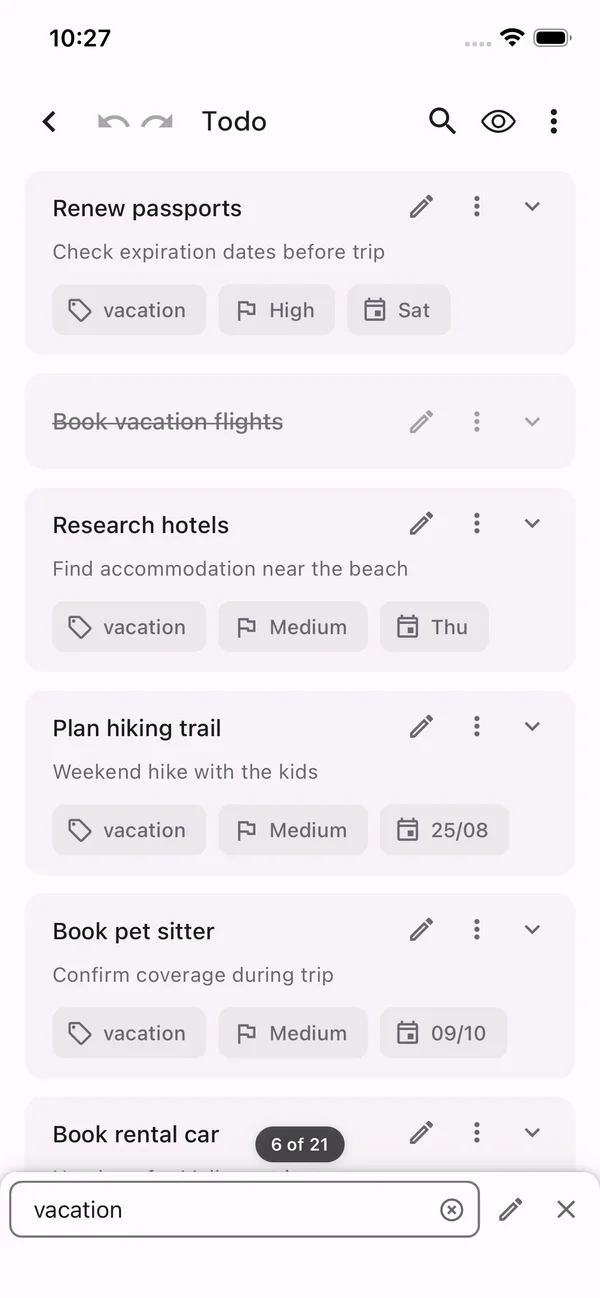
Fast filtering narrows the list across every visible field, with completed items included whenever the full picture matters - all without leaving the list.
One tap
One tap does the right thing
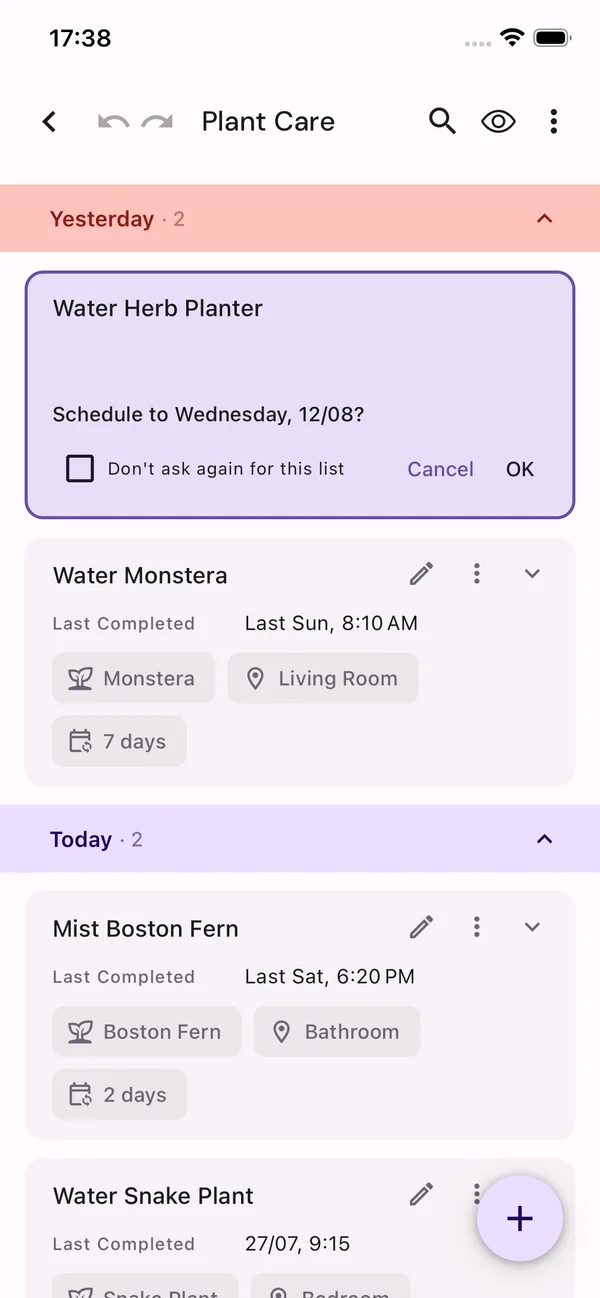
Each card's one-tap action matches the list's purpose. A todo task becomes Done; a plant-care task logs the watering and rolls the plant forward to its next date.
Made for mobile
Edit a row without hunting for cells
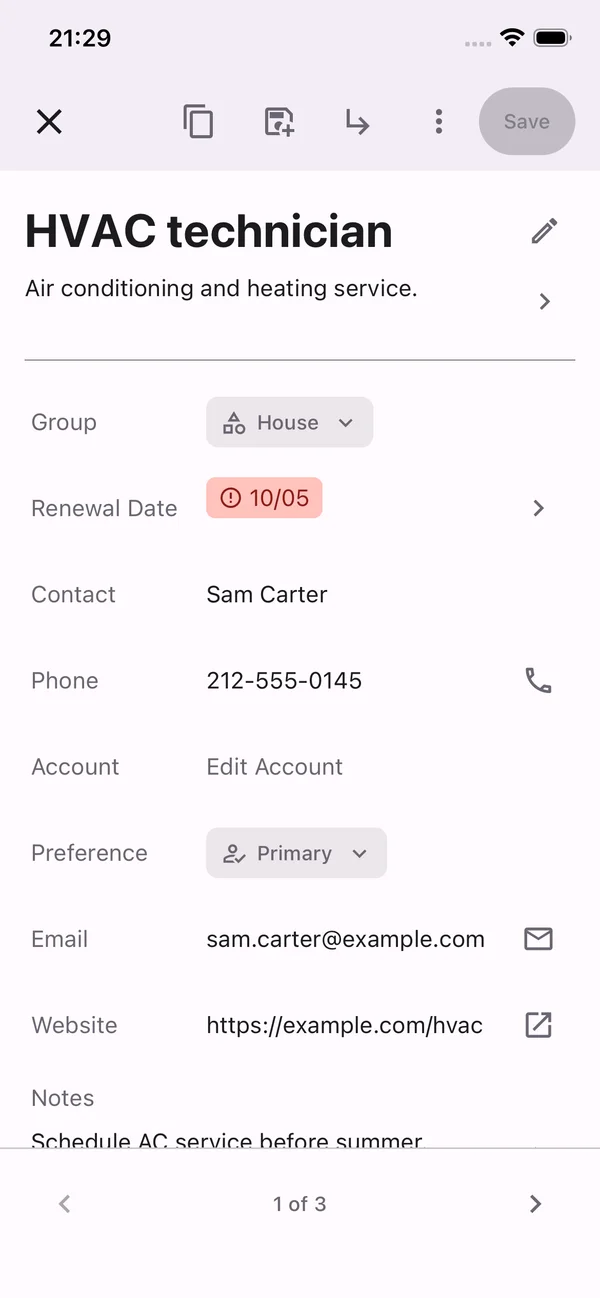
Every field gets a control that fits it - choices become dropdowns, dates get a picker, phone numbers and email stay tappable, and notes have room to breathe. Edit the whole item on one screen, then save it back to the sheet.
Zero setup
Ready-made templates, ready-to-use lists
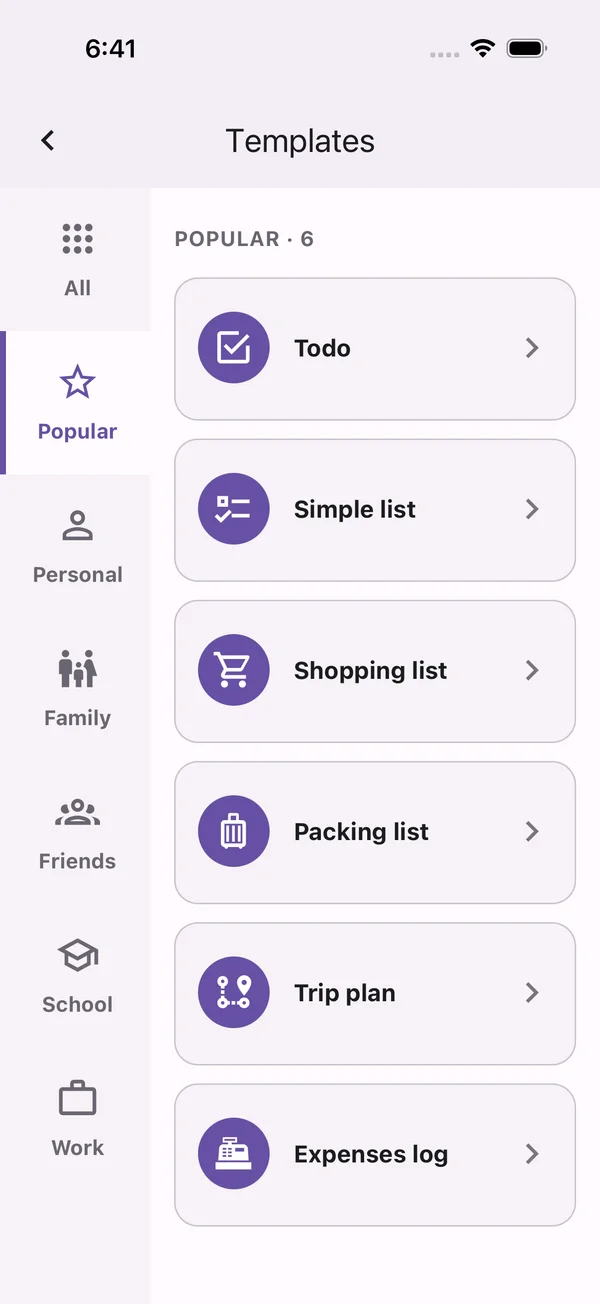
Every template arrives with its fields, grouping and one-tap action already set up. Personal lists and lists shared with family, friends or a work team are ready from the start, each backed by a real sheet in your own Drive.
One tap from your Home Screen
Every list, its own icon
Every list can have a direct Home Screen shortcut with its own icon. One tap lands in the list, not a menu. One app to keep, one shortcut per list, and no app store involved.
 MobileSheet
 Groceries
 Todo
Todo
 Packing